- Home
- Security
- Email Services
- Website Tools
Unscreen is an online tool that can automatically remove the background from videos and GIFs, without any manual clicking or selection of pixels. It offers a Pro Plugin for Adobe Premiere Pro & After Effects, and provides full HD resolution, no watermark, audio support, and full length clips. It is protected by hCaptcha and its Privacy Policy and Terms of Service apply.


Wisecut is an online automatic video editing software that uses AI and voice recognition to edit videos quickly and easily. It automatically cuts down long videos into shorter, impactful content with music, subtitles, and facial recognition auto reframe. It also uses AI and facial recognition to “punch in” and “punch out” automatically, generates transcribed storyboards for editing, and automatically adds background music and audio ducking for improved engagement.
Scribewave is an AI-powered tool that effortlessly transcribes, captions, and subtitles audio and video files in over 90 languages. It offers automatic transcripts with 99% accuracy, video subtitles, easy export to various formats, and an audio-to-video feature. Users can start for free, with payment options available for processing more files. The tool has received positive reviews and is suitable for a range of industries, including academia, media production, and legal documentation. With its time-saving and cost-effective features, Scribewave aims to revolutionize workflows and help users achieve their goals more efficiently.
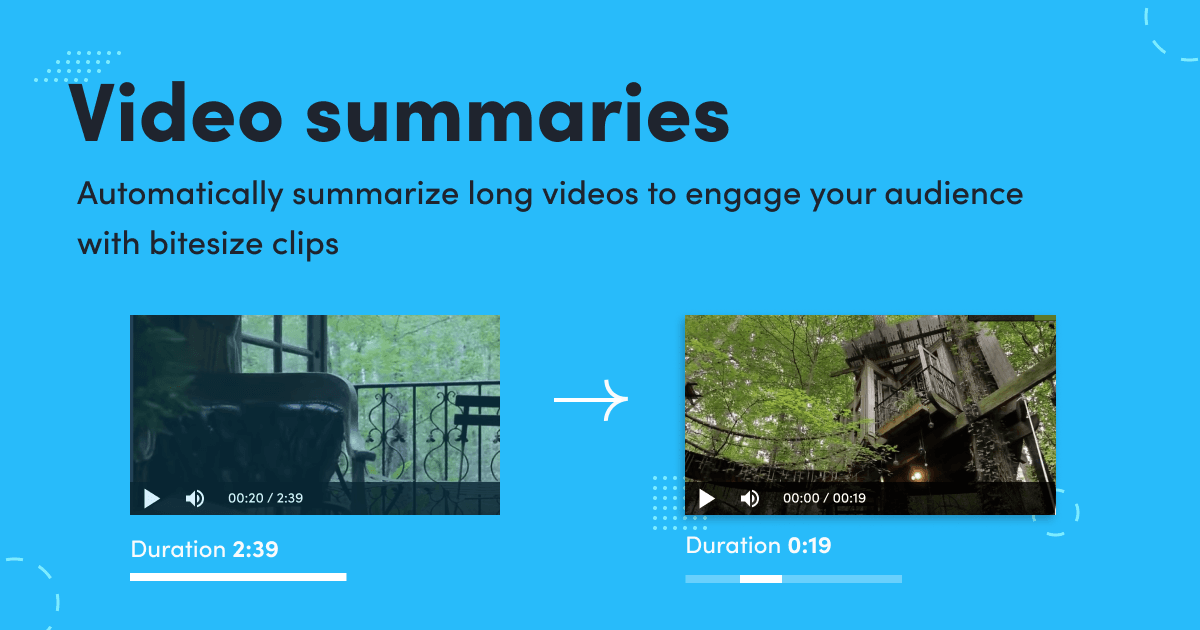
The above tool allows users to automatically create engaging video summaries by summarizing long videos into short, bite-sized clips. Users can upload their own video or URL, or choose from pre-selected videos related to lifestyle, motorization, travel, and sports. The video summary duration can be set up to a maximum of 30 seconds. This tool is only available on desktop devices.

AVCLabs Video Enhancer AI is a comprehensive AI-based video upscaling and enhancement tool. It utilizes neural networks and TensorRT models to upscale videos from lower resolutions to higher ones, such as from SD to HD, HD to 4K, and 4K to 8K, while maintaining quality. It offers features like AI video colorization, frame interpolation for smoother videos, and single or multi-frame enhancement for optimal quality. The software also leverages NVIDIA TensorRT acceleration for faster video processing. Whether you want to enhance old footage or improve video quality, AVCLabs Video Enhancer AI provides a range of AI-powered solutions to achieve exceptional results.